Introduction
An Instance Manager is responsible for managing licensing and usage for your Allspice managed instance. In managed deployments and trials, Allspice operates and maintains the underlying infrastructure, while Owners use the Billing portal to review subscription status and track licensed usage.
This documentation provides a high-level overview of what's available in Allspice managed instances.
If you have other questions about billing, please visit our Billing and Usage for Managed Allspice Instances documentation.
Accessing Billing
The Billing portal is accessible only to users with Owner privileges. It provides centralized access to billing, licensing, and usage information for your Allspice managed instance.
To access the Instance Manager, sign in to your Allspice instance, click your avatar in the top-right corner of the interface, and select Billing from the dropdown menu.
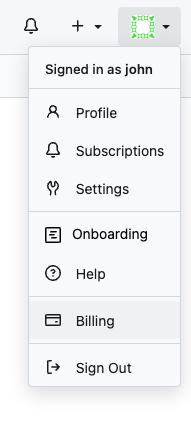
Billing
The Billing section provides visibility into licensing usage and consumption across your Allspice instance. It helps you understand how licensed resources are being utilized.

Designer Seats
The Designer Seats section shows how many total licensed designer seats are available and in use across your instance.

Actions
If Allspice Actions are enabled for your organization, this will show overall usage metrics.
Designers
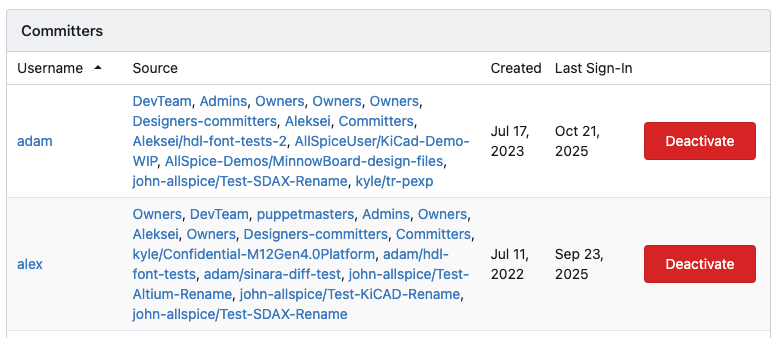
The Designers section lists all users with commit access, including their associated teams and repositories. It also displays key account details such as account creation date and last sign-in. Past or inactive Designers can be deactivated from this page.