Introduction
A Site Administrator is responsible for the overall operation, security, and health of a self-hosted Allspice instance. Site Administrators manage system-wide configuration, user access, integrations, background services, and monitoring to ensure the platform runs reliably and securely for all users.
This documentation provides a high-level overview of the Site Administration area in Allspice and describes the purpose of each section and page available to Site Administrators.
Accessing Site Administration
The Site Administration portal is accessible only to users with Owner privileges. It provides you with centralized access to all system-wide settings and operational tools.
To access Site Administration, sign in to your Allspice instance, click your avatar in the top-right corner of the interface, and select Site Administration from the dropdown menu.
.png)
This opens the Site Administration portal, which is organized into the sections described below.
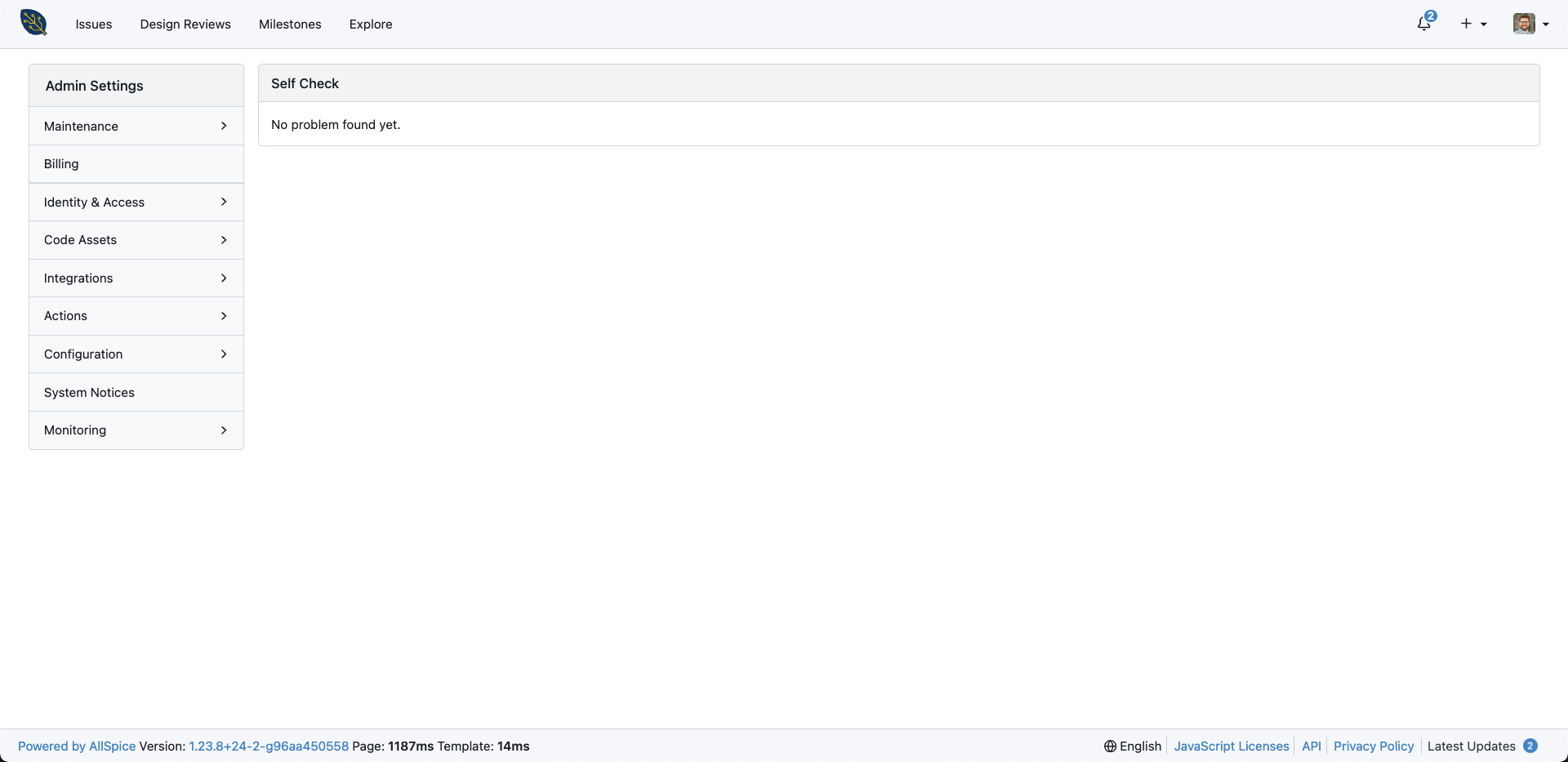
Maintenance
The Maintenance section contains tools for managing the operational health of your Allspice instance. These pages are typically used for troubleshooting, cleanup, and routine system upkeep.
Dashboard
The Dashboard page provides a high-level overview of your system’s current state. It surfaces important operational information and quick access to common maintenance-related pages.
License
The License section displays the current licensing status of your Allspice instance. It is used to review license details, validity, and compliance with licensed limits.
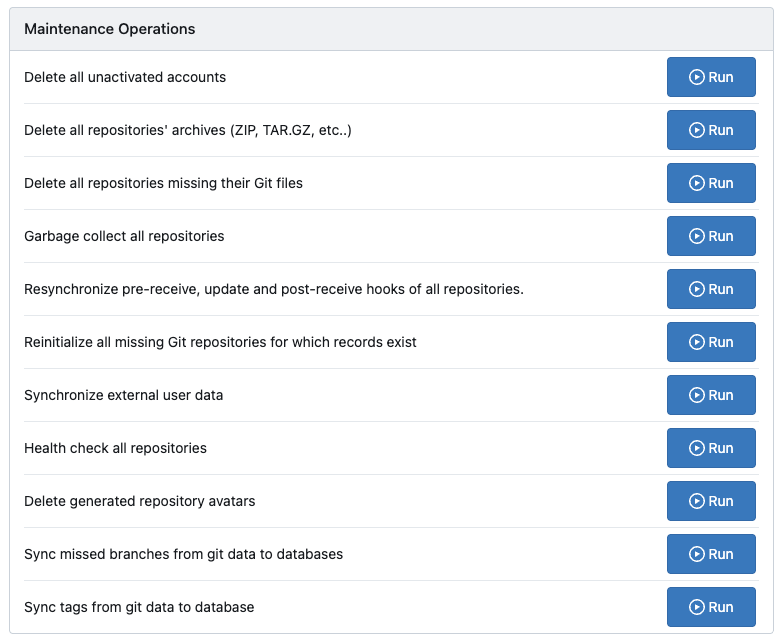
Maintenance Operations
The Maintenance Operations section provides access to administrative tasks that affect your system's data and background processes. These operations are typically used during troubleshooting or planned maintenance activities.
System Status
The System Status page shows the current health of core system components. It helps you identify issues related to services, storage, or background processing.
.png)
Self Check
The Self Check page runs internal diagnostics against your Allspice instance. It is used to identify configuration issues or environmental problems that may impact system stability.
Billing
The Billing section provides visibility into licensing usage and consumption across your Allspice instance. It helps you understand how licensed resources are being utilized.

Designer Seats
The Designer Seats section shows how many total licensed designer seats are available and in use across your instance.

Actions
If Allspice Actions are enabled for your organization, this will show overall usage metrics.
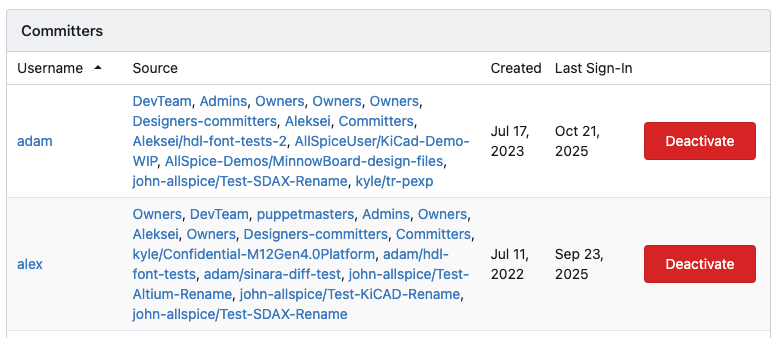
Designers
The Designers section lists all users with commit access, including their associated teams and repositories. It also displays key account details such as account creation date and last sign-in. Past or inactive Designers can be deactivated from this page.
Identity & Access
The Identity & Access section controls how users authenticate and how access is structured across the system. It is central to managing users, organizations, and authentication sources.
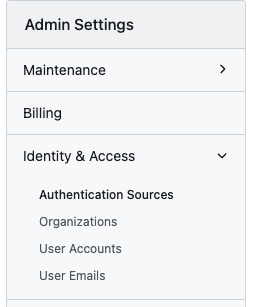
Authentication Sources
The Authentication Sources page manages external and internal authentication providers. This includes configuring identity systems such as LDAP, OAuth, or other supported providers.
Organizations
The Organizations page provides visibility into all organizations within the instance. It allows you to review ownership, structure, and high-level organization settings.
User Accounts
The User Accounts page lists all users on the system. It is used to manage user status, permissions, and account-level administration.
User Emails
The User Emails page shows email addresses associated with user accounts. It can help you verify email configuration and troubleshoot notification or login issues.
Code Assets
Repositories
The Repositories section provides system-wide visibility and management of repositories. Settings and data shown here reflect how repositories are stored, accessed, and managed across your instance. This view displays key repository metadata, including ownership, activity, size, and operational status.
Integrations
The Integrations section manages connections between Allspice and external systems. It allows administrators to configure how events and data flow between Allspice and other tools.
Applications
The Applications page manages registered applications that integrate with Allspice. This includes applications using APIs or OAuth-based access.
Webhooks
The Webhooks section manages outbound event notifications sent from Allspice to external services using HTTP POST requests. Webhooks are triggered by specific events and can be configured to apply globally or by default to new repositories.
System Webhooks
System Webhooks apply globally across your entire instance. Webhooks configured here are triggered by events from all repositories and organizations and are sent to a shared endpoint. Since these webhooks operate system-wide, they may have broader performance and integration impact.
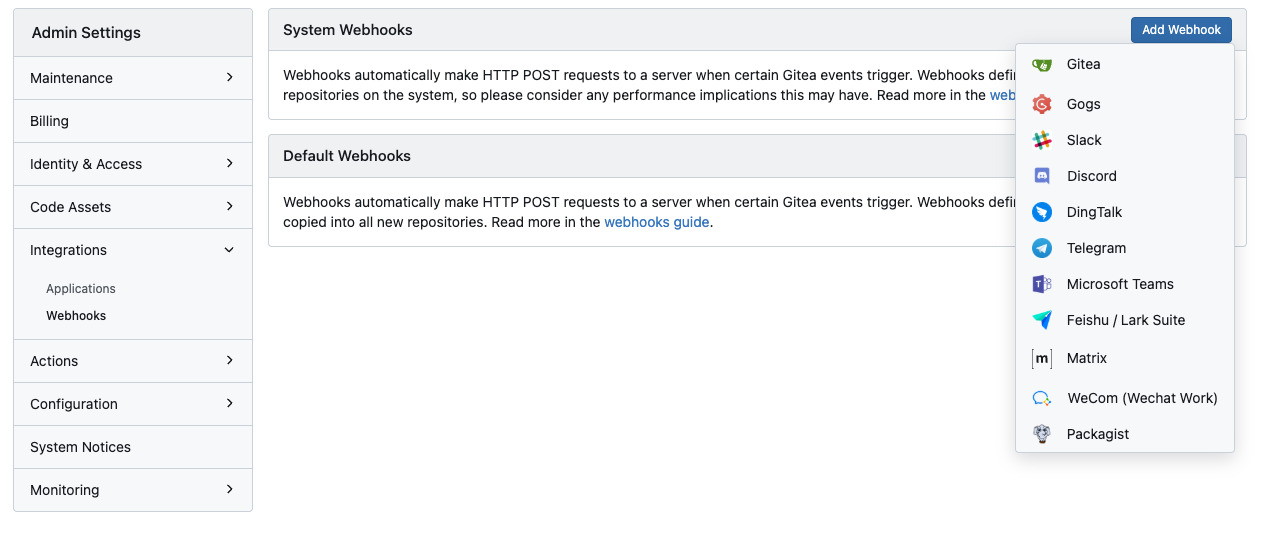
Default Webhooks
Default Webhooks are automatically copied into all newly created repositories. They provide a consistent baseline for integrations without affecting existing repositories and can be customized at the repository level after creation.
Actions
The Actions section covers automation and CI/CD-related functionality available across your instance. It is used to manage execution infrastructure and global automation settings. For more documentation on Actions, see AllSpice Actions.
Runners
The Runners page manages registered runners used to execute Actions workflows. It provides visibility into runner availability, status, and scope.
Variables
The Variables page defines instance-level variables used by Actions workflows. These variables can be referenced across multiple repositories and workflows.
Configuration
The Configuration section exposes system-wide settings that control how the Allspice instance behaves. These settings typically map directly to server and application configuration.
Summary
The Summary page provides a read-only overview of the current configuration. It is useful for reviewing system settings and validating configuration state.
Server Configuration
Server Configuration displays core server-related settings. This includes network, domain, and runtime configuration values.
SSH Configuration
SSH Configuration controls settings related to SSH access. It defines how users authenticate and interact with repositories over SSH.
LFS Configuration
LFS Configuration manages settings for Git Large File Storage. It affects how large files are stored and transferred.
Database Configuration
Database Configuration displays settings related to the backing database. It is primarily used for validation and troubleshooting.
Service Configuration
Service Configuration includes settings that control background services and internal behaviors.
Webhook Configuration
Webhook Configuration defines system-wide webhook behavior and defaults.
Mailer Configuration
Mailer Configuration controls outbound email delivery for your instance. It is used to configure SMTP settings and notification behavior, and provides the ability to send a test email to verify configuration.
Cache Configuration
Cache Configuration manages caching behavior used to improve performance.
Session Configuration
Session Configuration defines how user sessions are stored and managed.
Git Configuration
Git Configuration exposes Git-related defaults and behaviors at the system level.
Log Configuration
The Log Configuration section controls logging output, format, and verbosity for your Allspice instance. It provides visibility into enabled loggers and their current settings.
Settings
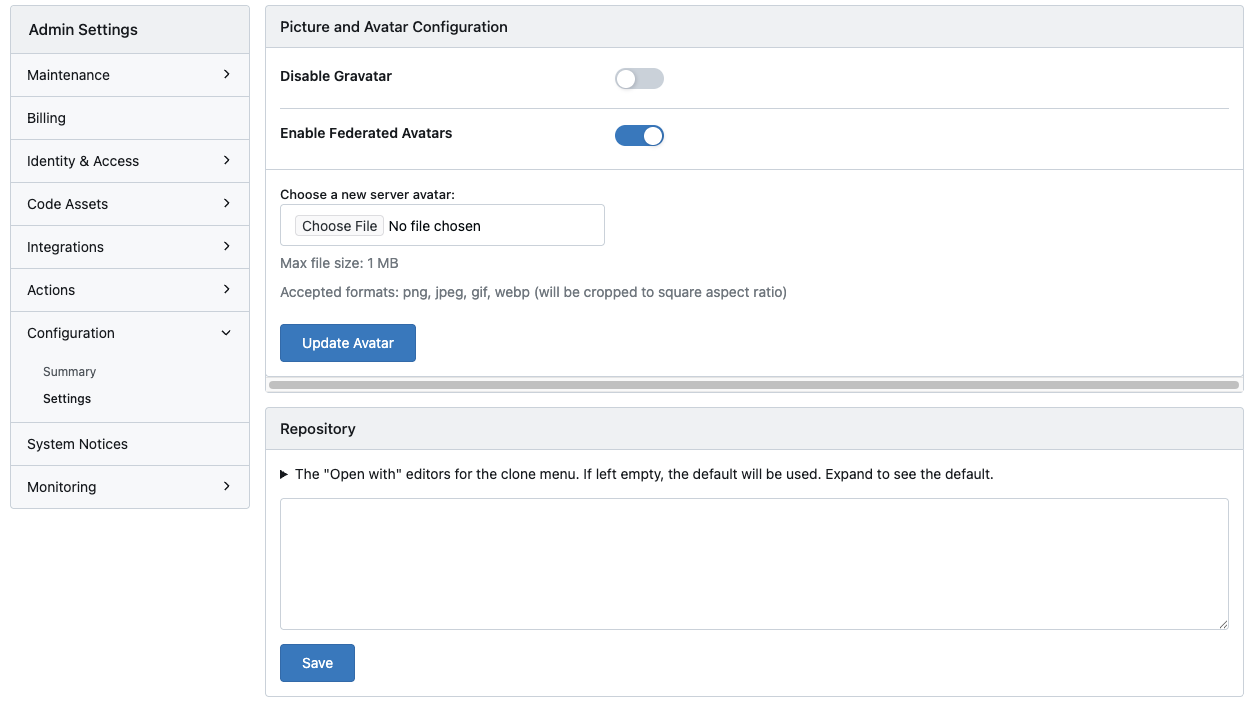
The Settings page contains user-facing and visual configuration options.
Picture and Avatar Configuration
This page manages how user pictures and avatars are handled and displayed across the instance.
Repository
The Repository section defines default behaviors applied to newly created repositories. This page currently allows configuration of the Open with editors shown in the repository clone menu. If no values are specified, the system defaults are used. Configured editors determine how repository clone URLs are opened in supported local development tools.
System Notices
The System Notices section allows you to manage messages displayed to users across the platform. These notices are commonly used for announcements, maintenance windows, or policy communications.
Monitoring
The Monitoring section provides insight into the health and performance of the Allspice instance. It is primarily used for diagnostics and operational visibility.
Stats
The Stats page provides a comprehensive snapshot of system activity and usage across your Allspice instance. It surfaces aggregated metrics related to users, organizations, repositories, Actions usage, integrations, and overall platform activity.
This page is primarily used for operational insight, capacity planning, and auditing. Metrics are presented in a raw, unaggregated format for key system objects and events.
Cron Tasks
The Cron Tasks page shows scheduled background jobs. It can help you verify execution and identify failures.
Queues
The Queues page displays background processing queues and their status. It is useful for diagnosing delays or stuck jobs.
Stacktrace
The Stacktrace page surfaces recent error stack traces. It is used for debugging unexpected failures or crashes.