Fixing GitHub desktop SSH authentication for custom hosts (Windows)
🧩 Problem summary
GitHub desktop fails to push or clone repositories hosted on a custom SSH Git server (e.g., yourcompany.Allspice.io), even though pushing from the command line works.
⚠️ Symptoms
-
GitHub Desktop error:
Authentication failed
-
Cannot push or clone via GitHub Desktop
-
Command line (
git push) works successfully -
Running
ssh-addmay fail with:Could not open a connection to your authentication agent- or key not found errors
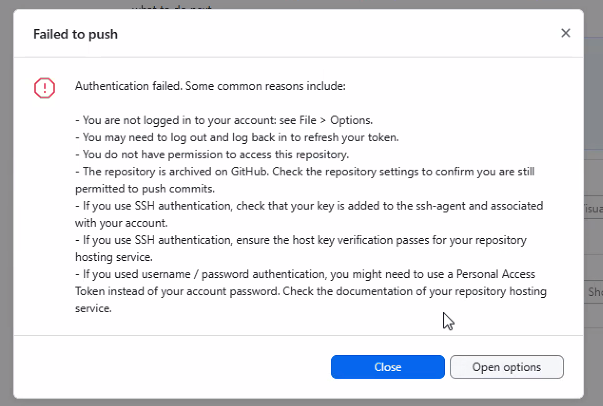
Here is an example failure
Failed to push

Authentication failed. Some common reasons include:

You are not logged in to your account: see File > Options.
You may need to log out and log back in to refresh your token.
You do not have permission to access this repository.
The repository is archived on GitHub. Check the repository settings to confirm you are still permitted to push commits.
If you use SSH authentication, check that your key is added to the ssh-agent and associated with your account.
If you use SSH authentication, ensure the host key verification passes for your repository hosting service.
If you used username / password authentication, you might need to use a Personal Access Token instead of your account password. Check the documentation of your repository hosting service.
🧠 Root cause
GitHub Desktop uses the Windows OpenSSH agent, which is separate from environments like Git Bash.
Additionally, SSH configuration may fail if:
- The SSH agent is not running
- The SSH key is not loaded into the agent
- The
IdentityFilepath in~/.ssh/configis not in Windows (DOS) format
✅ Solution
1. Start SSH agent (Admin required)
Open PowerShell as Administrator and run:
Get-Service ssh-agent | Set-Service -StartupType Automatic
Start-Service ssh-agent
2. Add SSH key to agent
Use the full Windows path (not ~):
ssh-add "C:\Users\<USERNAME>\.ssh\<your_key_name>"
Verify:
ssh-add -l
3. Configure SSH for custom host
Make sure you are editing a file config not config.txt
Edit:
C:\Users\<USERNAME>\.ssh\config
Add:
Host yourcompany.allspice.io
  HostName yourcompany.allspice.io
  User git
  IdentityFile C:\Users\<USERNAME>\.ssh\<your_key_name>
  IdentitiesOnly yes
⚠️ Important: The
IdentityFilemust use a Windows-style path (e.g.,C:\Users\...), not~/.ssh/...
4. Test SSH connection
ssh -T git@your.allspice.io
5. Restart GitHub desktop
Fully close and reopen GitHub Desktop, then retry push/clone.
✅ Expected result
ssh-add -lshows your keyssh -Tauthenticates successfully- GitHub Desktop can push and clone without errors
💡 Notes
- GitHub Desktop does not use Git Bash’s SSH environment
- Always configure SSH using the system (Windows) agent
- This issue commonly appears when using custom Git hosts instead of github.com