Create a project to publish a folder of design files on your computer as a new Allspice project.
Beta: Allspice Desktop is in beta and available only to select organizations, as of October 13, 2026. Features, supported systems and these instructions may change between releases, and some features may be incomplete. If your organization doesn't see the Download Allspice Desktop button in Allspice Hub, it isn't part of the beta yet. Contact your Allspice account team to learn more. We welcome your feedback.
Start a new project
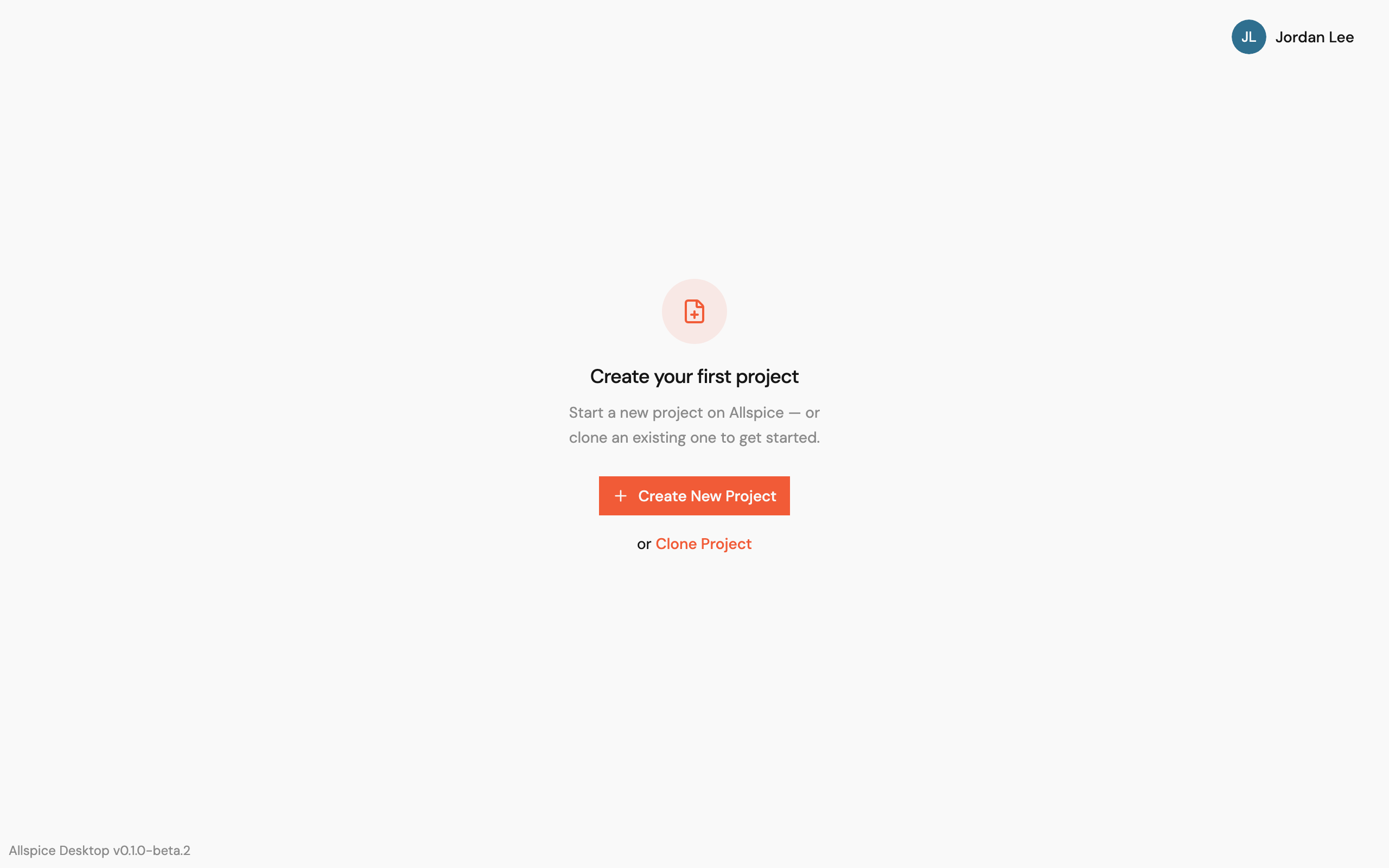
If you have no projects in the app yet, select Create New Project on the Create your first project screen.
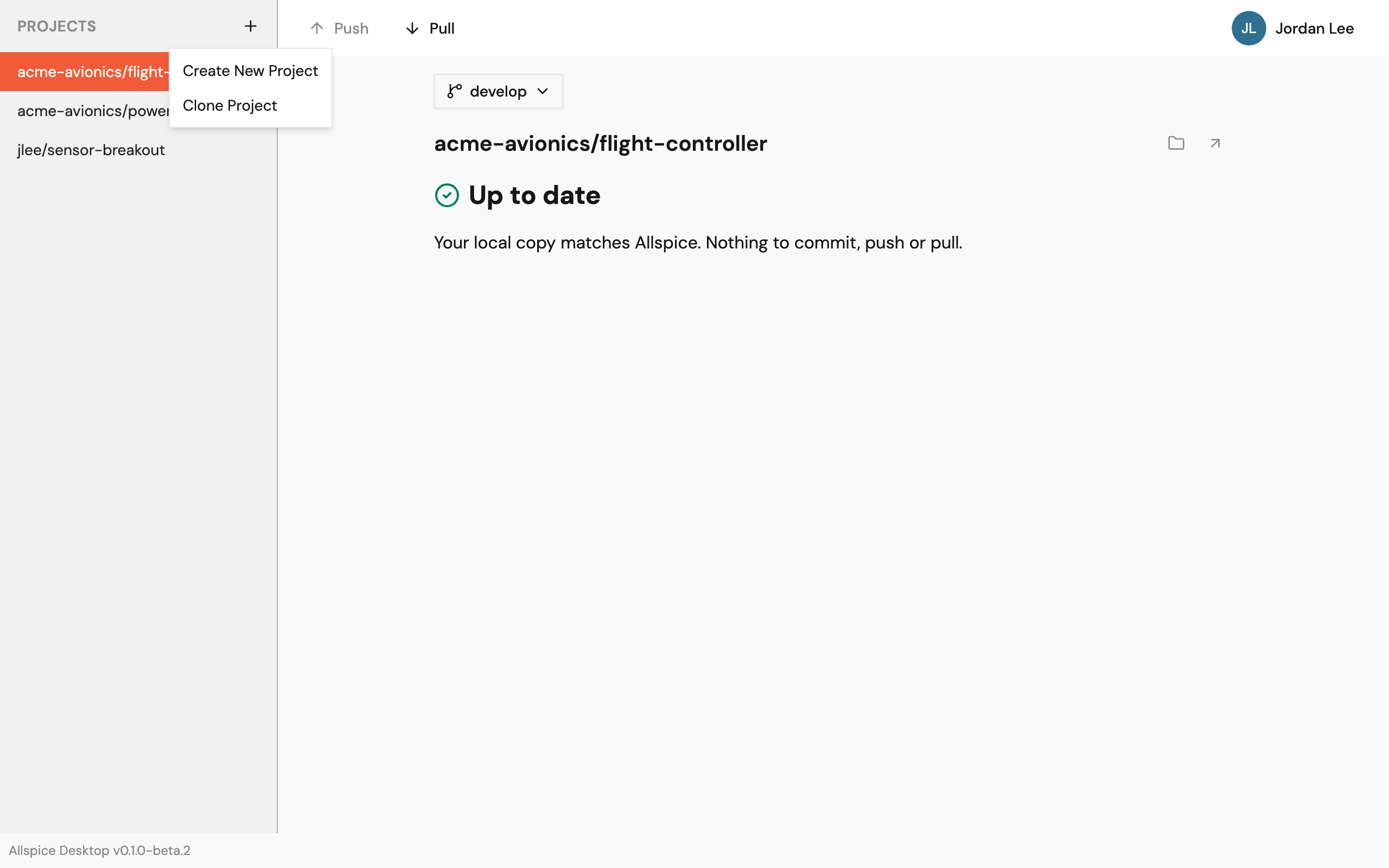
If you already have projects, select + beside Projects in the sidebar. Then select Create New Project.
Fill in the project details
- In Project folder, select Choose… and pick the folder that holds your design files.
- In Name, check the project name. The app fills it in from the folder name. A name can use only letters, numbers,
-,_, and.. - In Owner, select yourself or one of your organizations.
- Keep Private project selected to limit who can see the project. Clear it to make the project public.
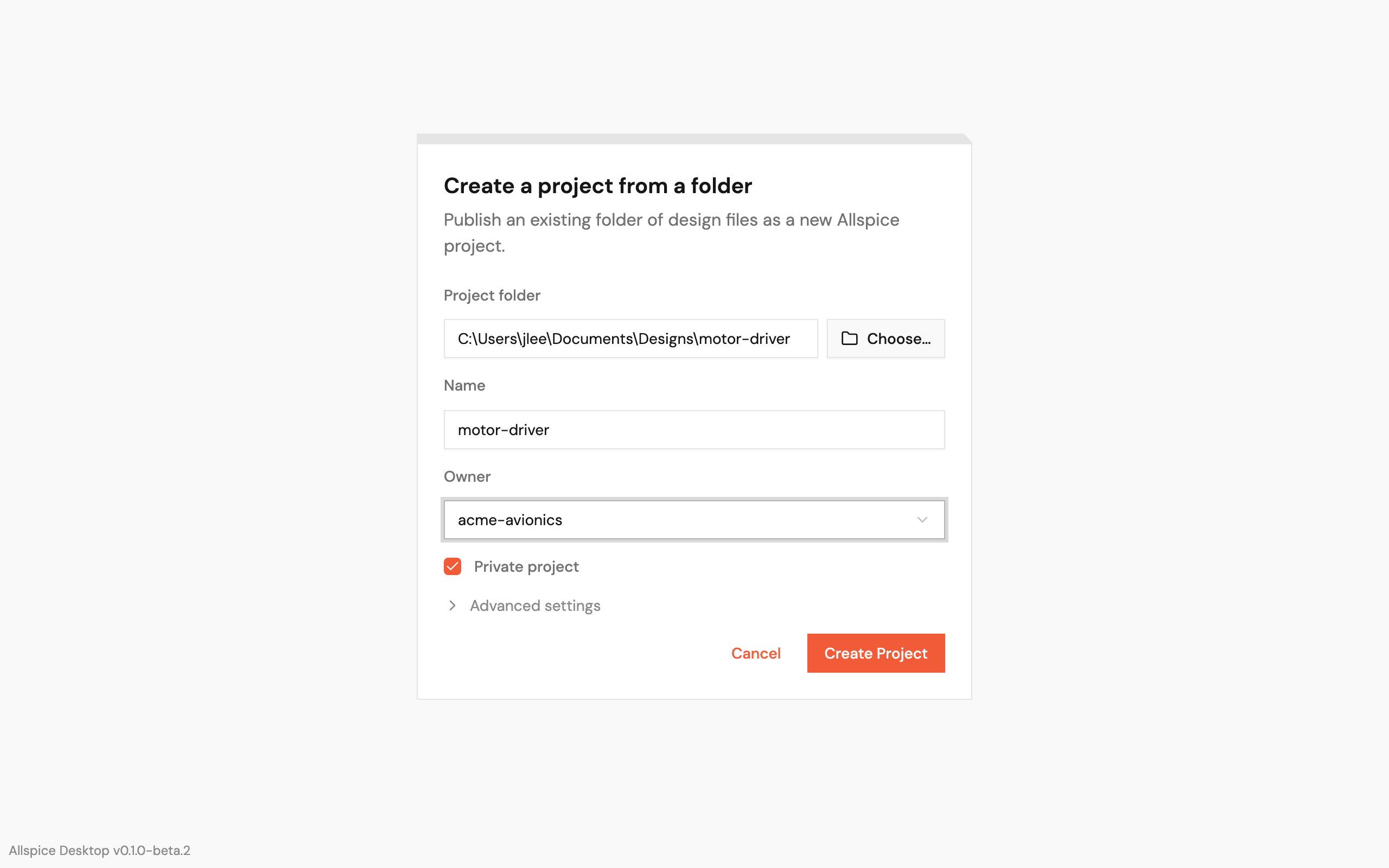
The folder must not already be a git repository.
Change the advanced settings (optional)
Select Advanced settings to see more options.
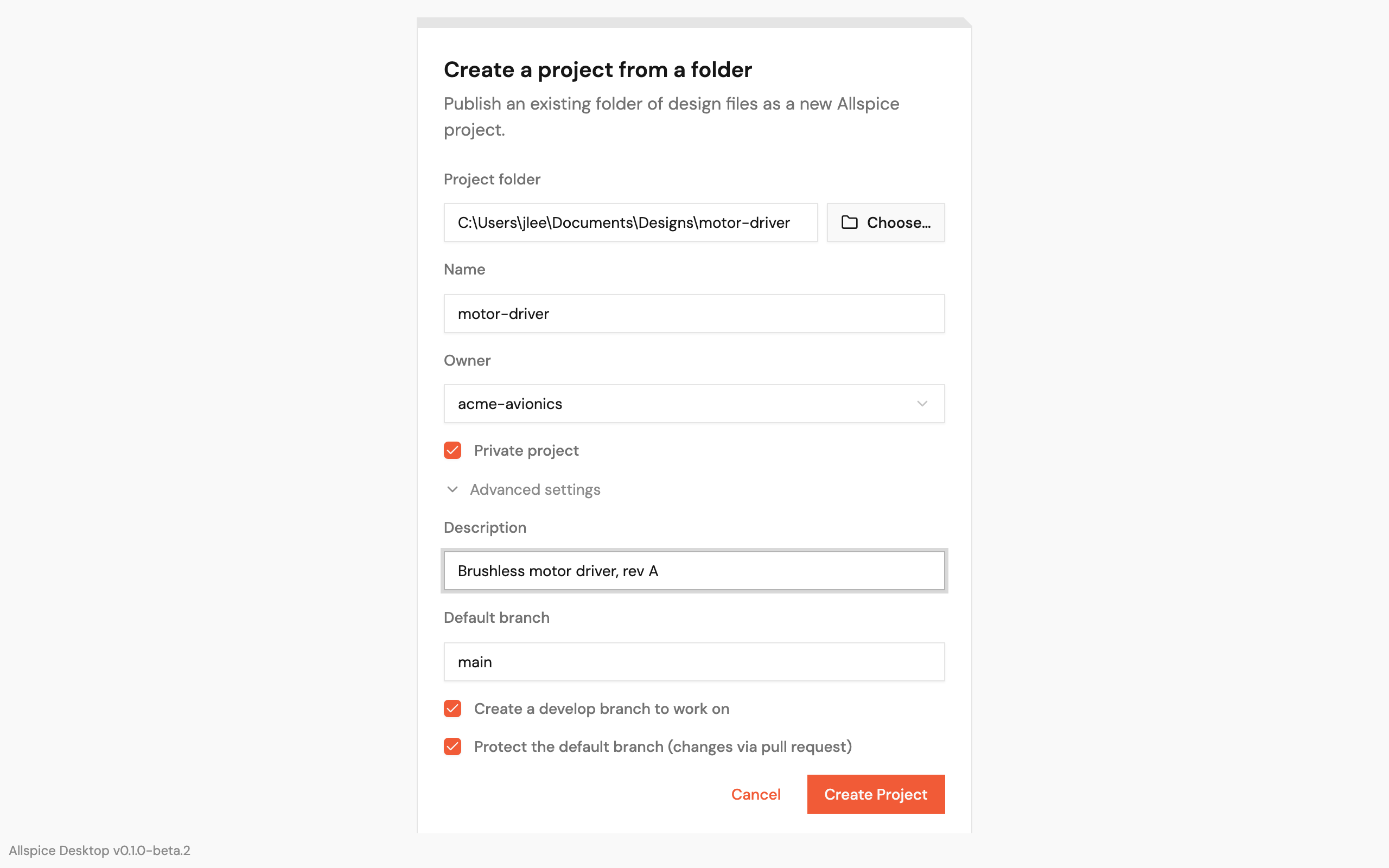
- Description: a short summary of the project.
- Default branch: the name of the main branch. It starts as
main. - Create a develop branch to work on: the app also creates a
developbranch and switches to it. This option is on by default. - Protect the default branch (changes via pull request): changes reach the default branch only through pull requests in Allspice. This option is on by default.
Create the project
- Select Create Project.
- When the app opens the project, your files show as new changes.
- Commit and push the files to upload them to Allspice. See Work on a project
If creating the project fails
If the app stops partway, the new project may stay on Allspice with no files. Delete that project in Allspice before you use the same name again.
If Allspice doesn't protect the default branch, the app still creates the project and shows no
error. Check the branch settings in Allspice.